How to Choose the Best WordPress Hosting Providers in 2026?
Choosing the right WordPress host in 2026 can shape how quickly your site loads, how safely it runs, and how much time you spend fixing problems. Yet the “best” option is rarely the one with the loudest promise or lowest introductory price. A small business site with a few product pages has different needs from a busy publication or membership platform. Start with your real workload. Check expected traffic, storage, backup frequency, support hours, and whether staging is included. These details matter on ordinary Tuesdays, not just during a launch. Keep it practical.
This guide explains how to compare wordpress hosting providers using practical criteria rather than vague claims. We’ll look at server performance, uptime records, security controls, WordPress-specific tools, migration help, renewal pricing, and support quality. Ask how backups are restored, not only whether backups exist. Read the limits behind “unlimited” plans. A provider’s published specifications are useful, but your own tests and current customer reports offer important context. No single benchmark tells the whole story. That matters.
Some trade-offs are uncomfortable. A cheaper plan may be enough today and frustrating six months later; a premium plan can also include features you never use. It is easy to overvalue impressive dashboards and overlook how quickly support resolves a failed update. Hosting decisions are not permanent, though moving a site takes care. Revisit your choice when traffic, revenue, or technical demands change. This comparison aims to help you make a clear, evidence-informed choice, with room to revise it when your site grows.
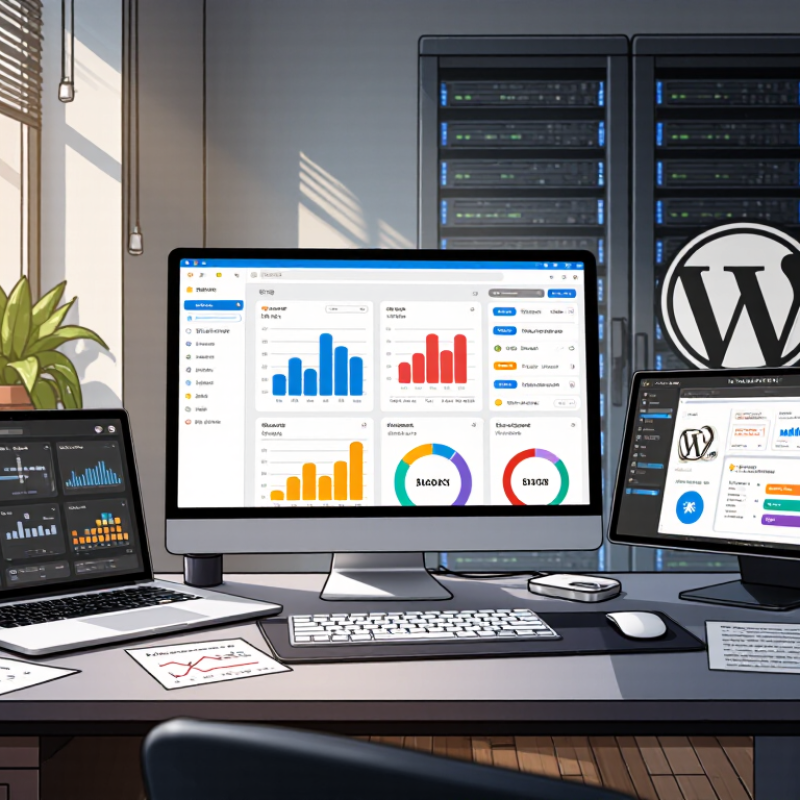
Understanding Your Website’s Hosting Requirements
A suitable hosting plan starts with the work your website needs to do. A small portfolio with a few image galleries has different demands from a busy shop or membership site. Estimate monthly visitors, but also consider sudden peaks after a campaign or seasonal sale. Traffic forecasts are guesses, not promises. Measure real usage after launch and adjust when the numbers change.
Check the technical requirements of your site before comparing plans. A content-heavy site may need more storage, while interactive features can require additional processing power and memory. Confirm that the plan supports your software versions and provides SSL protection, routine backups, and clear recovery steps. Backups matter most when restoration is simple. Ask how often copies are made and how quickly you can access them. Small details count, especially when a failed update leaves a checkout page blank.
Location, support, and room to grow also affect the fit. Hosting servers near your main audience can help pages load faster, though images and scripts influence speed too. Find out whether support is available when you need it, and test response quality with a specific question before committing. Compare renewal prices, not just introductory rates. It is easy to overestimate future traffic, yet choosing the smallest plan can create avoidable limits. A little uncertainty is normal; leave some headroom and review your needs every few months.
Comparing WordPress Hosting Types and Core Features
Shared hosting suits small sites with modest traffic, but neighboring websites can compete for memory and processing power. VPS hosting reserves clearer resource limits and gives teams more control, though updates and security need attention. Managed WordPress hosting handles routine maintenance; cloud hosting can add capacity during traffic spikes, but pricing may be less predictable. W3Techs reported WordPress powered 43.4% of websites in January 2025, a scale that makes hosting performance and maintenance choices worth examining.
Compare practical features, not just advertised speed. Look for server-side caching, current PHP support, daily backups, staging, malware monitoring, and clear restore procedures. The HTTP Archive Web Almanac tracks real-world web performance and shows why page weight and delivery remain important: a fast server cannot compensate for oversized images or untested plugins. Ask how many PHP workers your plan includes, and test a restored backup before launch. Small detail. Often overlooked.
Tips: Match the plan to traffic patterns, not an optimistic forecast. Test a representative page during busy hours, check support response times, and confirm whether backups are stored separately. A low-cost shared plan may be perfectly adequate; it may also become frustrating as traffic grows. Reassess after meaningful changes.
Evaluating Performance, Security, Support, and Reliability
When choosing WordPress hosting in 2026, test real pages, not just advertised server speeds. Check how quickly a product page loads during busy periods, and whether images shift while it opens. Google’s mobile speed research found that 53% of visits were abandoned when pages took longer than three seconds to load. Fast matters. A 2024 WordPress security report recorded 7,966 newly disclosed vulnerabilities across the ecosystem, most tied to extensions and themes. Ask how the host handles updates, malware detection, backups, and recovery. A backup is only useful if restoration works.
Reliability deserves evidence, not promises. Uptime Institute’s 2024 outage analysis found that 54% of surveyed organizations said their most recent significant outage cost more than $100,000. Ask for historical uptime records, maintenance notices, and clear service-credit terms. Then test support before signing up: send a technical question and see whether the reply explains a fix, not merely a policy. Support matters at 2 a.m. when checkout stops working.
Compare plans using the same workload, such as a staging site with your theme, plugins, and sample traffic. Review response times, backup retention, and limits on visits or storage. A polished dashboard can still hide slow support. And one awkward detail remains: no benchmark predicts every traffic spike. Choose measurable safeguards, but keep an independent backup and test recovery yourself.
How to Choose the Best WordPress Hosting Providers in 2026? — Evaluating Performance, Security, Support, and Reliability
| Evaluation Area | Weight | What to Evaluate | Strong Selection Signals | How to Verify |
|---|---|---|---|---|
| Performance | 25% | Server response, page delivery, caching, and performance under realistic traffic. | Test pages achieve a Largest Contentful Paint (LCP) of 2.5 seconds or less, Interaction to Next Paint (INP) of 200 milliseconds or less, and Cumulative Layout Shift (CLS) of 0.1 or less. A Time to First Byte (TTFB) around 0.8 seconds or less is a useful server-response target. | Run repeat tests from the audience’s region using a representative WordPress site. Check both uncached and cached responses, and test during more than one time period. |
| Security | 25% | Protection for the site, hosting account, data, and administrative access. | HTTPS support, malware monitoring or scanning, network-level protection, isolated accounts, multi-factor authentication, and a clear incident-response process. Security updates should be supported for the software used. | Review the plan documentation and account controls. Confirm who handles threat detection, cleanup, software updates, and security incidents—and whether any services cost extra. |
| Support | 20% | Access to knowledgeable help for hosting, WordPress, migrations, and urgent outages. | Clearly stated support hours and channels, staff able to investigate WordPress-related issues, and a documented escalation path. For urgent live-chat enquiries, a first response within about 30 minutes is a practical comparison target, not a universal service standard. | Ask a specific pre-sales technical question. Evaluate response time, accuracy, clarity, and whether the answer distinguishes hosting issues from theme or plugin issues. |
| Reliability | 20% | Service availability, backup quality, recovery options, and transparency about incidents. | A published uptime commitment of at least 99.9% is a useful baseline; at that level, the allowance is about 8 hours and 46 minutes of downtime in a 365-day year. Backups should run regularly, be retained for a stated period, and be restorable. | Read the uptime terms, including exclusions and remedies. Check backup frequency, retention, off-site storage, restoration fees, and whether customers can initiate a restore themselves. |
| WordPress Management | 10% | Tools that simplify WordPress setup, maintenance, staging, and migration. | Supported WordPress and PHP versions, straightforward installation, a staging environment, migration assistance, and clear controls for updates and caching. | Confirm which features are included in the quoted plan. Check whether staging sites, migrations, automated updates, and additional sites have usage limits or extra charges. |
| Total | 100% | Score each area from 1 to 5, multiply by its weight, and compare total scores alongside plan limits and renewal pricing. | ||
Comparison tip: Test equivalent sites and record plan limits, renewal costs, backup terms, and support conditions. Website performance also depends on page design, plugins, content, and visitor location—not hosting alone.
Assessing Pricing, Renewal Costs, and Service Terms
When comparing WordPress hosting in 2026, look beyond the introductory monthly price. Check the renewal rate, billing period, setup fees, and whether essentials like backups or email cost extra. A low first-year price can hide a steep second-year increase. Write both totals beside each other.
Flexera’s 2024 State of the Cloud Report found that respondents estimated 27% of cloud spending was wasted. That figure covers cloud services broadly, not WordPress plans, but it highlights why unused add-ons and oversized resources deserve scrutiny. Ask whether a plan can be downgraded without penalties. Read the service terms for renewal notices, refund limits, migration help, backup retention, and uptime-credit conditions. “Unlimited” should prompt a closer look.
Support terms matter when a site goes quiet. Uptime Institute’s 2024 outage analysis reported that 54% of surveyed organizations said their most recent significant outage cost more than $100,000. Those incidents are not directly comparable to a small website outage, but they show how disruption can carry real costs. Check support hours and response targets, not just a headline uptime percentage. Keep a copy of the plan terms. I’d still want clearer wording on what counts as an outage.
Testing and Selecting the Best-Fit Hosting Provider
Choose a host by testing how it handles your site, not by trusting headline claims. Create a staging copy with the same theme, plugins, and sample content. Run page-speed tests several times, at different hours, and record response times. A single fast result proves little. Small differences matter.
Test a product page, a search page, and a page with large images. Check whether caching helps without breaking forms or logged-in features. Keep notes. Also review backup frequency, restore steps, and the time support takes to answer a specific technical question. Ask how the provider handles traffic spikes, then compare the answer with your own test results. One test can mislead: a quiet staging site may not reveal slowdowns during busy periods. That gap is worth admitting, not hiding. Recheck performance after enabling security features and updating plugins. Compare the total cost after renewal, too, since a low introductory rate may not reflect the long-term bill. A provider that fits your site should deliver repeatable results and clear evidence, even when its dashboard looks less polished.
Related Posts
-
10 Best Dedicated WordPress Hosting Services for 2026?
-

How to Choose the Best WordPress Cloud Hosting for Your Website?
-

Top 10 Dedicated WordPress Hosting Solutions for Global Buyers?
-

Best WordPress Hosting UK for Global Buyers in 2026?
-
What is WordPress Cloud Hosting and Why Do You Need It?
-

Top 5 Tips for Choosing the Best WordPress Hosting Providers?