10 Essential Tips for Choosing the Best Web Hosting for Your WordPress Site?
Choosing the right web hosting for your WordPress site is crucial. A recent report by HostingAdvice found that 39% of website owners feel unsatisfied with their current web hosting provider. This dissatisfaction can stem from factors like slow loading times, limited support, and hidden fees. According to industry expert, Lisa Sabin-Wilson, "The right web hosting can significantly impact your website's performance and user experience."
Many people jump into web hosting decisions without thorough research. This can lead to missed opportunities for better speed and security. For instance, a study by SiteGround shows that faster websites have a 70% higher conversion rate. If your site is slow, users will likely leave.
Selecting the best web hosting for WordPress requires careful consideration. Factors like uptime, bandwidth, and customer support matter a lot. Engaging with reviews and recommendations can also help in making an informed choice. Understanding these elements can improve your site's performance and user satisfaction significantly.

Understanding the Different Types of Web Hosting Services Available
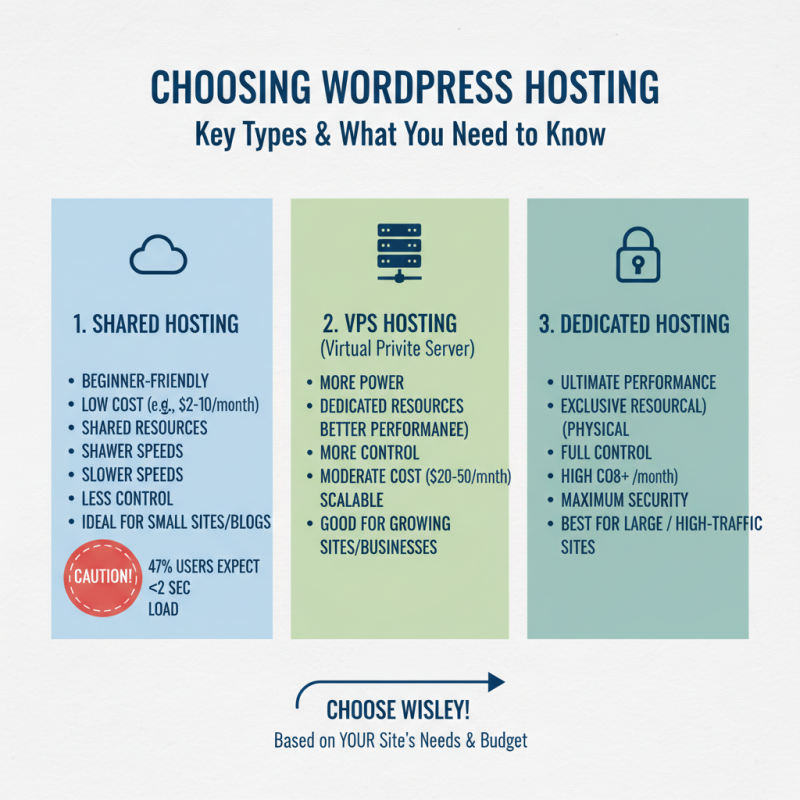
Choosing the right web hosting service is crucial for your WordPress site. Understanding the different types available can help. There are mainly three types: shared hosting, VPS hosting, and dedicated hosting. Shared hosting is budget-friendly but can lead to slow loading times. A report indicates that 47% of users expect a site to load in two seconds or less.
VPS hosting offers more resources and better performance. This option is suitable for growing websites that need more control. On the other hand, dedicated hosting provides maximum resources but comes at a higher cost. This might not be necessary for small businesses.
When selecting a service, consider your needs. Look for providers with good uptime, ideally over 99.9%. Fast and responsive customer support is vital too. Research shows that 82% of customers feel more secure with a reliable host. Take your time to compare options. Testing different services may uncover hidden issues, such as technical limitations. Always read reviews and explore community feedback before making a choice.
Evaluating Performance and Reliability Metrics for Web Hosting
When selecting web hosting for your WordPress site, performance and reliability are crucial. Start with uptime metrics. Aim for hosting providers that guarantee at least 99.9% uptime. This ensures your website remains accessible. A few minutes of downtime can lead to lost traffic and revenue. Regular monitoring of uptime can help you assess this metric effectively.
Next, consider load times. Fast loading websites enhance user experience. Look for services that offer Solid State Drives (SSDs) for storage. They can significantly improve site speed. However, remember that speed isn’t everything. Network geography and server overload can muddle performance. So, verify where the data centers are located. Testing loading times with real tools can expose real-world performance.
Another factor is customer support. Reliable support can be invaluable when issues arise. You may not always need help, but when you do, quick responses matter. Evaluate response times through support channels. Make sure they're accessible 24/7. Sometimes, you may need to ask tough questions to gauge their expertise. This can reveal if they really understand your needs. Performance and reliability shouldn’t just be numbers; they must create a seamless experience for your visitors.
Assessing Customer Support and Resources for Hosting Providers
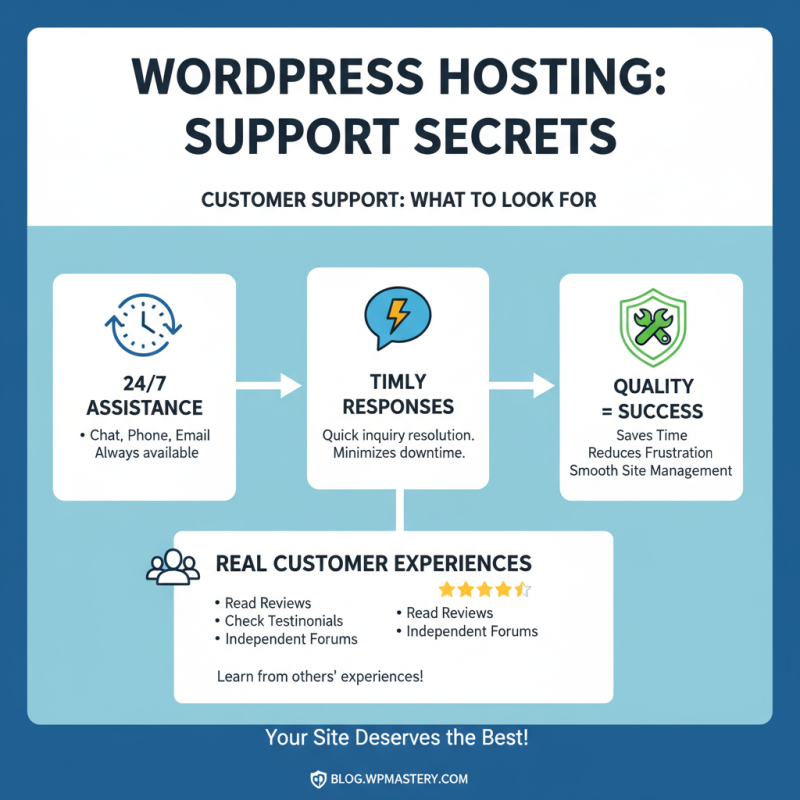
When selecting a web hosting provider for your WordPress site, assessing customer support is crucial. Quality support can save you time and frustration. Look for providers that offer 24/7 assistance via chat, phone, or email. Timely responses to inquiries matter. Reading reviews or testimonials can shed light on real customer experiences.
A helpful knowledge base can guide you through common issues. Check if the provider has detailed FAQs or tutorial videos. This can empower you to solve minor problems without needing direct support. Test their response times by asking questions before signing up.
Don’t overlook the resources a hosting provider offers. A robust community forum can be invaluable. Engaging with fellow users can lead to new insights and help. Sometimes, the official support may not provide all the answers. Look for extra tools that come with hosting, like one-click installs or built-in caching solutions. These can enhance your site’s performance significantly.
Analyzing Pricing Structures and Value for Money in Web Hosting
When selecting a web hosting service for your WordPress site, examining pricing structures is crucial. Various reports indicate that 70% of users prioritize cost-effectiveness when making a decision. A well-structured pricing plan often includes support, uptime guarantees, and additional features. Look for transparency in these structures; hidden fees can lead to higher long-term costs.
Tip: Assess the renewal rates. Many providers entice users with low introductory prices. After the first year, costs may skyrocket. Understanding the full pricing landscape aids in avoiding unpleasant surprises.
Another common pitfall is overlooking resource allocation. Analyze what you truly need. A shared hosting plan may offer low costs but could lead to performance issues if your site expands. According to industry reports, around 60% of users require more resources as their websites grow.
Tip: Compare features side by side. Not all plans are created equally, and features vary greatly between providers. Weighting value against price is vital. If a plan seems cheaper but lacks essential features, reassess its cost-effectiveness.
While many focus solely on upfront costs, it's essential to consider long-term value when evaluating hosting options.
10 Essential Tips for Choosing the Best Web Hosting for Your WordPress Site
| Hosting Type |
Monthly Price |
Storage |
Bandwidth |
Customer Support |
Uptime Guarantee |
Special Features |
| Shared Hosting |
$3.99 |
10 GB |
Unlimited |
24/7 Live Chat |
99.9% |
Free SSL, Daily Backups |
| VPS Hosting |
$19.99 |
50 GB |
Unlimited |
24/7 Phone Support |
99.9% |
Root Access, Scalable Resources |
| Dedicated Hosting |
$79.99 |
500 GB |
Unlimited |
Dedicated Support |
99.99% |
Custom Server Configurations |
| Cloud Hosting |
$29.99 |
40 GB |
Scalable |
24/7 Multi-Channel Support |
99.95% |
Load Balancing, Auto-scaling |
Considering Security Features and Backup Options for WordPress Hosting
When selecting web hosting for your WordPress site, security should be a top priority. Cybersecurity threats are on the rise, with recent reports showing that 43% of cyber attacks target small businesses. This puts your site and data at risk if not properly protected. Look for hosting providers that offer SSL certificates and robust firewall protection. These features create a secure environment for your website.
Backup options are equally crucial. A staggering 30% of data loss incidents come from human errors and system failures. Hosting services that provide automated backups can save you significant stress. With daily or weekly backups, you can restore your site with minimal downtime. It’s wise to confirm how often backups are performed and the time it takes to recover your data.
Consider also the availability of malware scanning and removal. Effective malware protection should not be an afterthought. While many providers claim to offer these features, it’s essential to review their policies and practices. A lack of transparency and details could leave your website vulnerable. Taking these factors into account is vital for building a resilient WordPress site.
Web Hosting Security Features Comparison